This step-by-step guide explains how to lock your $RARI tokens on the legacy locking interface to receive veRARI which gains you voting power on our v1 DAO, and optionally how to delegate your voting power to another address.
Important notes:
- Locking $RARI for the maximum period (2 years) gives you a 1:1 $RARI → veRARI ratio.
- Always double-check wallet addresses when delegating.
Step 1: Visit the RARI Foundation legacy website.
Head to the RARI Foundation website.
Step 2: Connect Your Wallet
Click the “Connect Wallet” button in the top-right corner and select your wallet (MetaMask, WalletConnect, etc.).
Step 3: Choose Amount and Locking Period
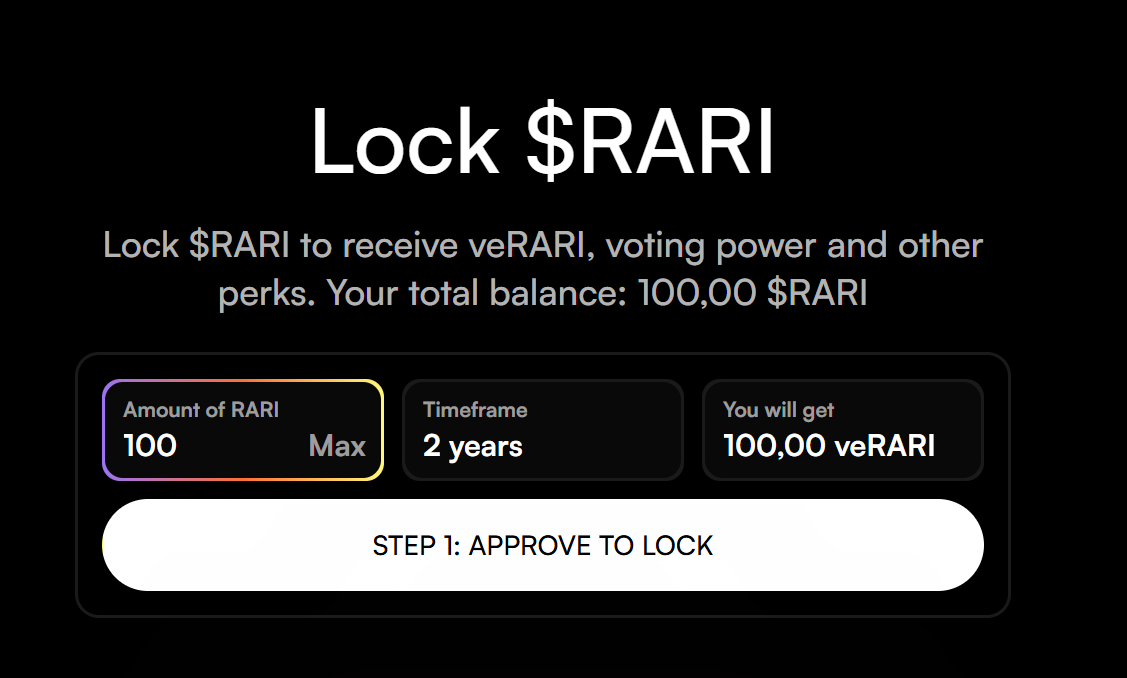
Enter the amount of $RARI you wish to lock.
Select your desired locking duration (up to 2 years for maximum 1:1 veRARI rewards).
The interface will automatically display how much veRARI you will receive.
Step 4: Confirm the Transactions
Approve the transactions in your wallet:
- First transaction: Approve $RARI spending (if not already approved)
- Second transaction: Create the lock
Wait for both transactions to be confirmed on-chain.
Step 5: Verify Your Lock (My Locks Section)
Delegate your locked veRARI to another delegate or wallet address.
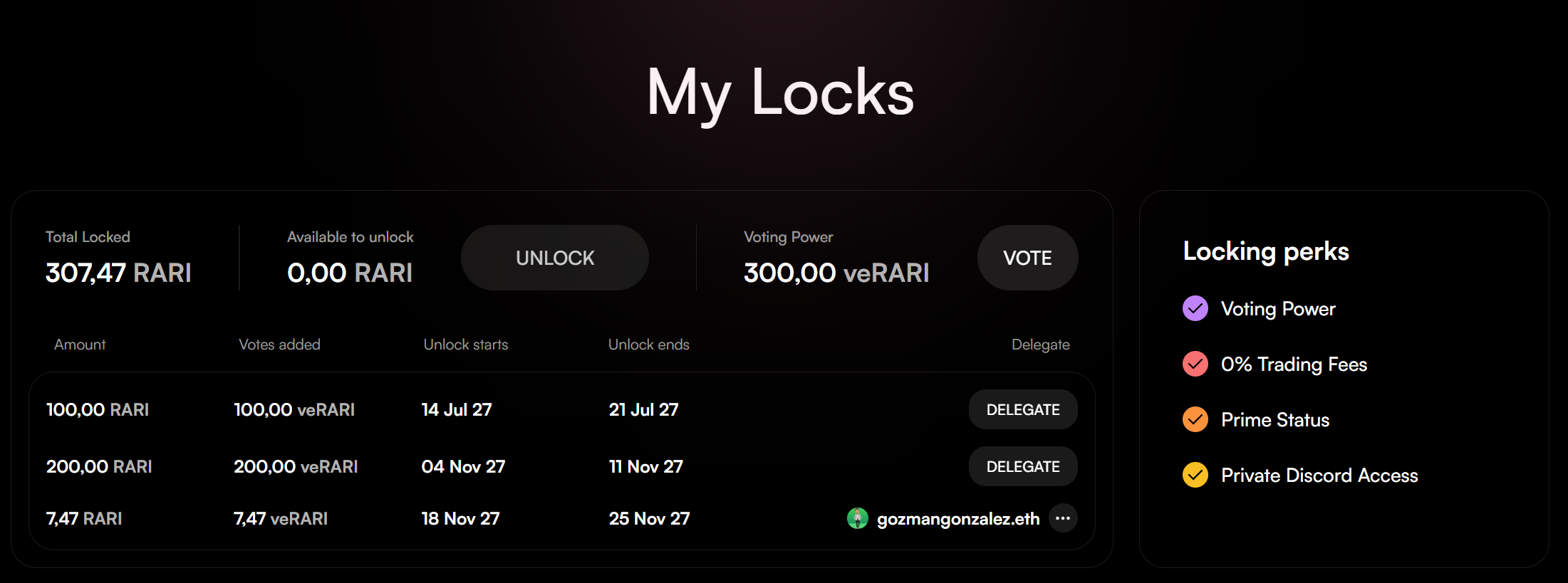
Scroll down the page to the “My Locks” section. Once you have connected your wallet and successfully locked your $RARI tokens your locks will appear.
Optional: Delegate Your veRARI Voting Power
If you wish to delegate your voting power to another address (e.g., an active governance participant):
Step 6: Initiate Delegation
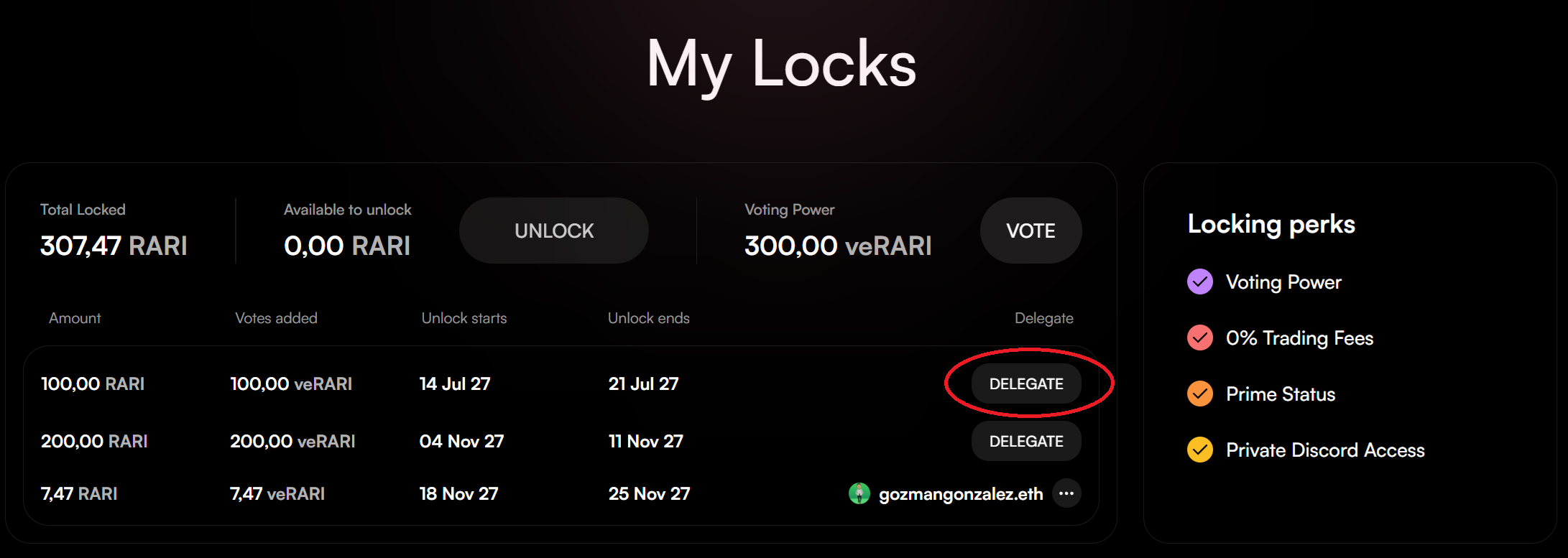
In the “My Locks” section, click the “Delegate” button next to the lock you want to delegate.
Step 7: Search for a Delegate
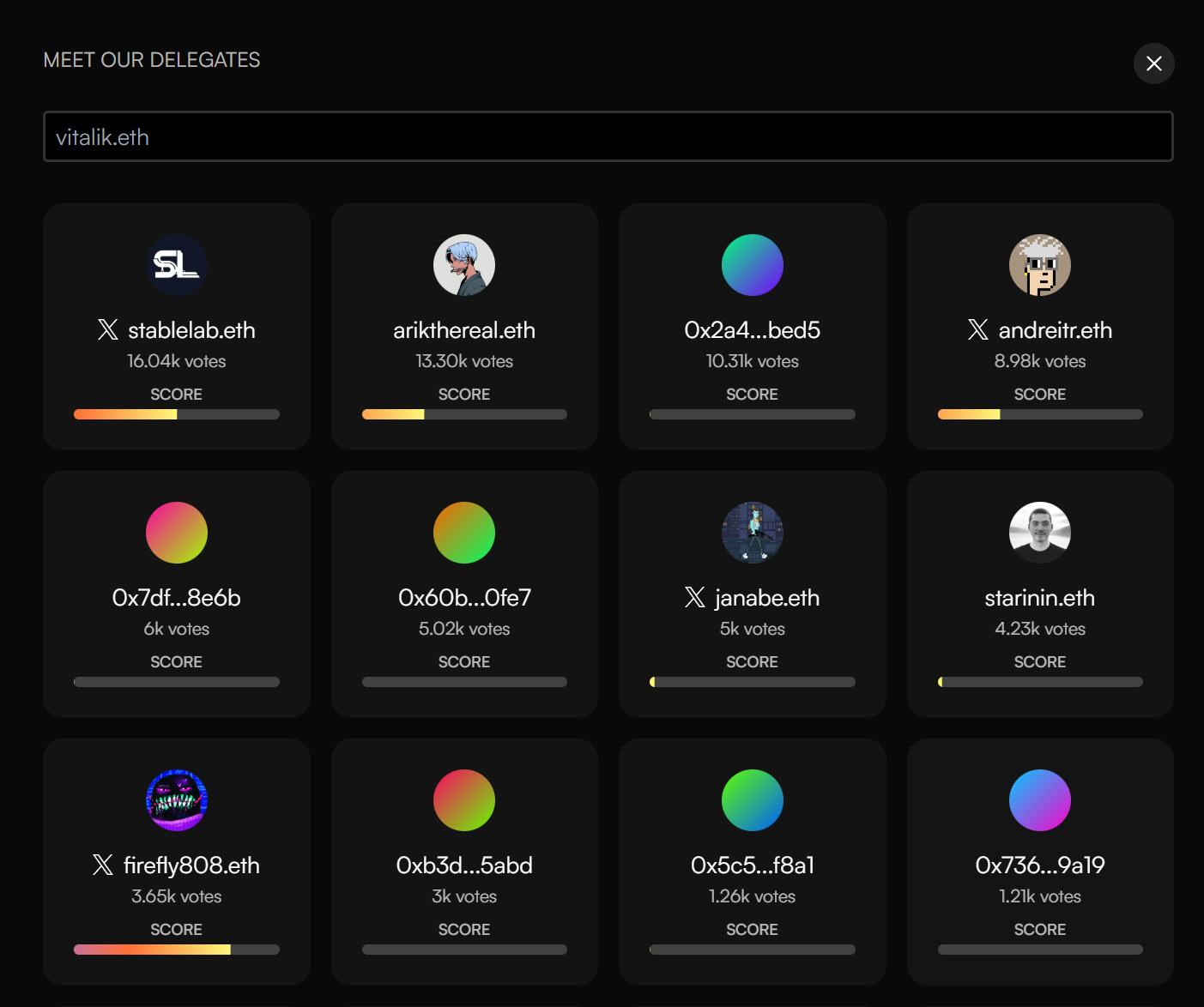
A popup will appear with a search bar and a list of existing delegates. You can either:
- Select an existing delegate from the list.
or - Paste the Ethereum address of the person you want to delegate to.
Step 8: Confirm Delegation
Select which specific lock(s) you want to delegate (if you have multiple), then click “Delegate”. Confirm the transaction in your wallet.

Once confirmed, your veRARI voting power is successfully delegated!